
ADVERTISEMENT
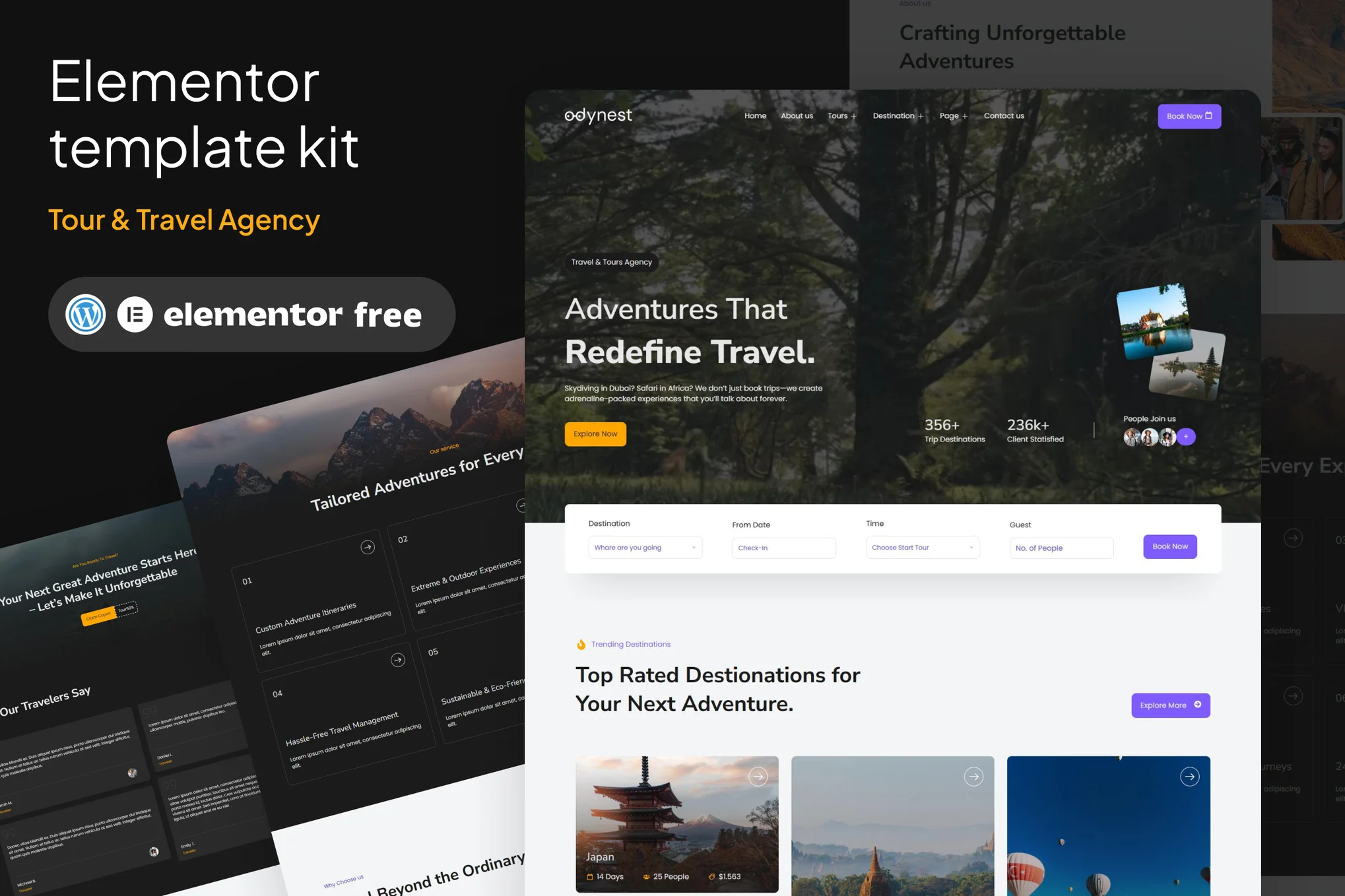
Odynest – Travel & Tour Agency Elementor Template Kit
Pro Template

Odynest – Travel & Tour Agency Elementor Template Kit

Uploaded by

mightyadmin
Last Updated on December 5, 2025
  • Compatible for wordpress v6.7.2
  • Compatible for elementor v3.27.6
  • Buy once, free updates forever

Odynest – Travel & Tour Agency Elementor Kits Template (NOT A WordPress Theme), the ultimate Travel & Tour Agency Elementor Template Kit designed for modern explorers, travel agencies, tour operators, and vacation planners. Built for WordPress with the power of Elementor Free, this kit offers an effortless website-building experience—no coding required! Featuring stunning pre-designed pages, immersive layouts, and dynamic booking sections, Odynest ensures your travel business stands out. Showcase breathtaking destinations, highlight exclusive tour packages, and captivate adventurers with an intuitive, mobile-friendly design. Elevate your tourism business with a professional, SEO-optimized, and easily customizable website—start crafting unforgettable travel experiences today!

Suitable For:

  • Travel & Tour Agency
  • Creative Agency
  • Any Company

Features:

  • Elementor Free Use
  • Unique & Clean Design
  • Modern design based on design system
  • 18 Ready to use pages
  • Unlimited colors
  • More than 900 ready fonts
  • Fully Responsive Layout
  • Fully Customizable -Cross Browser Compatibility: Chrome, Firefox, Safari, Opera

Templates Included:

  • Global Theme Style
  • Homepage
  • About Us
  • Tour List
  • Tour Detail
  • Tour Guide
  • Destination List
  • Destination Detail
  • Gallery
  • FAQ’s
  • 404 Page
  • Contact us
  • Design Guidelines
  • Header
  • Footer

Required Plugin(included):

  • Elementor Free
  • ElementsKits Lite
  • Gum Elementor Addon
  • MetForm

Elementor Free required

ADVERTISEMENT

How to Install

Template Kits are Different from WordPress Premium Themes.

THIS IS NOT a WordPress Theme. Template kits contain the design data for Elementor only, and are installed using the Envato Elements plugin for WordPress or directly through Elementor.

Here are steps to successfully install a template kit:

  1. Click the “Download Template” button to download your kit.zip file. Once downloaded, do not unzip it. If you use Safari browser you may need to ensure “Open safe files after downloading” is disabled in the browser preferences, to avoid automatically unzipping the file after download.
  2. In your WordPress Admin, go to Settings > Permalinks and ensure “Post Name” is selected
  3. Go to Appearance > Themes > Add New and ensure the Hello Elementor theme is installed and activated. Hello Elementor is one of the best themes for use with Elementor, not because it is pretty, but because it gives 100% compatibility. Installing This will prompt you to install Elementor if you haven’t already.
  4. Go to Plugins and ensure Elementor and  “Template Kits Import” by Envato plugins are installed and at the latest version. If your kit requires Elementor Pro, it must be installed now and connected to your account.
  5. Go to Elements > Installed Kits and click Upload Template Kit Zip (or click your kit to view it)
  6. Check for the orange banner at the top and click “Install Requirements” to load any plugins the kit uses. 
  7. Click the “import” button on the Global Kit Styles first. This will setup the site settings with the right fonts and preset .
  8. Click Import on one template at a time in the order shown. These are stored in Elementor under Templates > Saved Templates and are re-used from here.

Building Your Header and Footer

If you have Elementor Pro:
  1. Go to Templates → Theme Builder.

  2. Import or open the Header template.

  3. Click Publish → Add Condition → Entire Site (or specific pages).

  4. Do the same for the Footer.

If you’re using Elementor Free:
  1. Install and activate Elementor Header & Footer Builder plugin.
  2. Go to Appearance → Header Footer Builder.
  3. Create a new header, select Elementor Canvas and edit with Elementor.
  4. Insert the imported Header template from Envato.

Assign it to the entire site.

Repeat for Footer.

Creating pages

  1. Go to Pages and create a new page and click Edit with Elementor
  2. Click the gear icon at lower-left (or Top-center) of the builder to view page settings and choose Elementor Full Width and hide page title.
  3. Click the gray folder icon to access My Templates tab and then Import the page you’d like to customize.
  4. Once you have built your homepage, you can set it under Settings > Reading by selecting “A Static Page.”

    Detailed Guide

Lifetime Access to the Entire Template Kit Library for ₦100,000

ADVERTISEMENT
ADVERTISEMENT

Similar Templates to Odynest – Travel & Tour Agency Elementor Template Kit

We think you might be interested in the website templates kits below.

More Uploads by Odukoya Ibrahim

Subscribe for All-Access Pass

Ads Blocker Image Powered by Code Help Pro

Please Disable Your Ad Blocker

We have detected that you are using extensions to block ads. We spend a lot of money to bring these free templates to you.

Please support us by disabling your ads blocker or subscribe to All Access Pass to use Kits Bro without ads forever.

ADVERTISEMENT
close